Continue
How it works
One search away from the page you need.
Past exam questions on Okazaki fragments, and where it's taught?
● Cerebra · search_questions
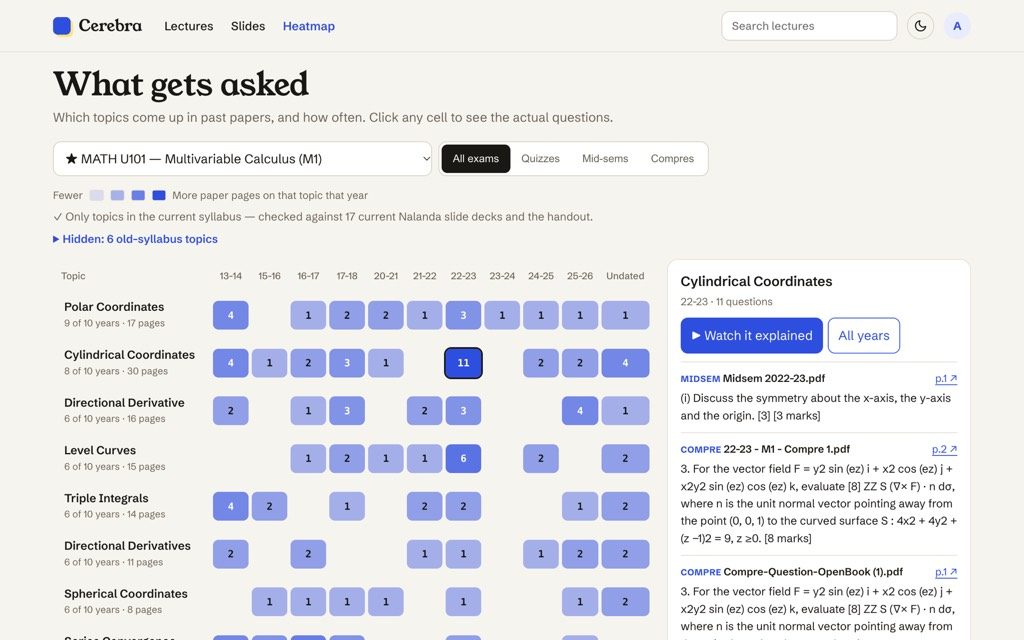
It shows up in mid-sems and compres. Two worth practising:
MIDSEM
Which primer (P/Q/R) is first incorporated into an Okazaki fragment? Explain diagrammatically.16-17 · Bio · Mid-Semester 1 · p.1
Open ↗COMPRE
What will be the sequence of the Okazaki fragments formed in Region 1? Indicate the polarity.Comprehensive (2015-16) · p.4
Open ↗LECTURE
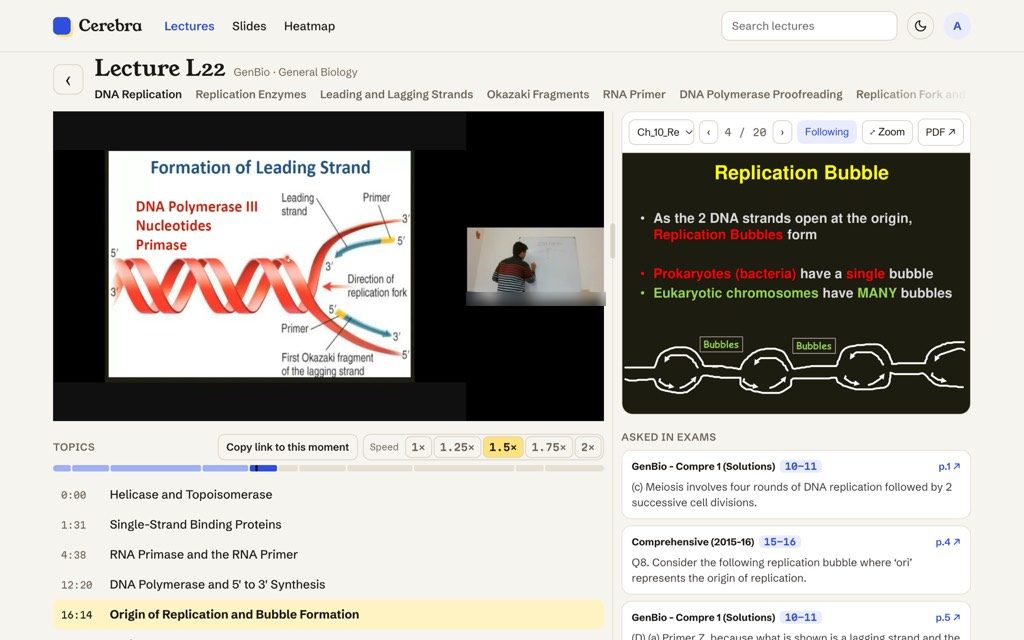
GenBio Lecture L22 · Okazaki FragmentsJumps to 24:09
Watch ↗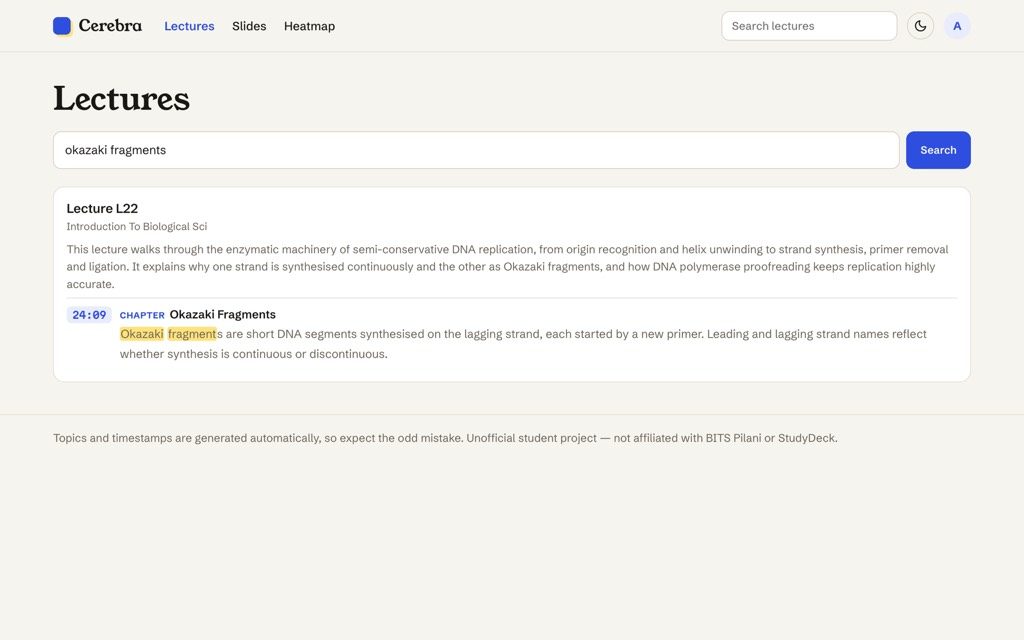
Stop uploading PDFs to your AI.
Connect Claude, ChatGPT or Gemini once. It finds the paper, slide or lecture moment itself and cites the page.
Server URL (no account or key needed)
https://bits.cerebra.ink/mcpNo connector? Paste this link into any chat with your question:
https://bits.cerebra.ink/claude.txt- Click Add to Claude, sign in if asked, and confirm. The name and URL are already filled in.
- In a chat, open the tools menu and make sure Cerebra is switched on.
- Ask away, e.g. "past compre questions on Green's theorem, with links". It also works in the Claude apps.
Manual way: Customize → Connectors → Add custom connector, then paste the URL. Leave authentication off.
- Open ChatGPT Plugins, press +, then Add custom MCP server.
- Name it Cerebra, paste the server URL, and choose no authentication.
- Accept the warning, then Create as a plugin and use it in a new chat.
Depends on your ChatGPT plan, and it isn't in the mobile app yet. If you don't see the option, paste the chat link instead.
- On a computer, open Gemini → Settings → Connected Apps.
- Under Custom apps, choose Add a custom app and paste the server URL. No credentials are needed.
- Once added on the web, it also works in the Gemini app.
Google currently needs a personal account (not school/work) with Gemini activity on. If it isn't available, paste the chat link instead.
Claude Code
claude mcp add --transport http cerebra https://bits.cerebra.ink/mcpVS Code
code --add-mcp '{"name":"cerebra","type":"http","url":"https://bits.cerebra.ink/mcp"}'Any other client: a remote Streamable HTTP server at the URL above, no auth.